Official App

App ll1998: Download Now and Bet on Football, Casino, and Slots Right from Your Phone

Take the full ll1998 experience in your pocket. Android, iOS, touch-optimized interface, and Pix available 24 hours — all without opening a browser.

Android iOS / iPhone
ll1998
Android 6.0 or higher
iOS 13 or higher
Pix Deposit and withdrawal in the app
24/7 Live betting on mobile

Why use the ll1998 app instead of a browser?

The app is not just a mobile version of the website — it was built with mobile bettors in mind.

Faster loading

The app loads markets and odds in an optimized way, without depending on browser speed. Ideal for following live games without freezing.

Real-time notifications

Receive alerts for goals, odds changes, and your bet results directly on your lock screen — without having to keep checking the app.

Biometric login

Log in to your ll1998 account with fingerprint or Face ID. No need to type your password every time — access becomes much faster and more secure in daily use.

Interface designed for touch

Menus, odds, and buttons were redesigned for fingers, not a mouse. Navigating between sports and markets in the app is smoother than in any browser.

Better on unstable connections

The app handles signal drops better than a browser. Cached data reduces the impact of poor connections, especially useful in stadiums or during commutes.

Extra security layer

The ll1998 app uses end-to-end encryption to protect your data and transactions. No risk from malicious third-party browser extensions.

ll1998
Android

How to download the ll1998 app on Android

On Android, the process is straightforward and takes less than two minutes. Since the app is not available on the Play Store — which is common for betting platforms — you install it directly from the website.

1
Visit the ll1998 website on your mobile

Open Chrome or any browser on Android and go to ll1998.app. In the menu or banner on the home page, look for the Android app download button.

2
Download the APK file

Click "Download for Android". An .apk file will be downloaded — this is the app installer. Wait for the download to complete.

3
Allow installation from unknown sources

Android will ask for permission to install apps outside the Play Store. Go to Settings → Security → Install unknown apps and enable it for the browser you used to download.

4
Install and open the app

Tap the downloaded APK file and confirm the installation. Within seconds the ll1998 icon appears on your home screen. Just open it and log in or register.

After the first installation, the app updates automatically whenever a new version is available. You don't need to repeat this process with each update.

ll1998
iPhone / iOS

Installing the ll1998 app on iPhone

On iOS the process is equally straightforward. The ll1998 app can be installed as a Progressive Web App (PWA) or via the installation link available on the website — no App Store required.

1
Open Safari on your iPhone

Safari is required for the PWA installation process on iOS. Access ll1998.app via Safari — this method does not work through Chrome on iPhone.

2
Tap the share button

In the bottom bar of Safari, tap the share icon — that little square with an arrow pointing up. A menu will appear with several options.

3
Add to Home Screen

Scroll the menu down and tap "Add to Home Screen". Confirm the name as ll1998 and tap Add. The icon will appear on your home screen just like a native app.

4
Open and log in

Tap the ll1998 icon on your home screen. It opens in full-screen mode, without a browser bar, with the same smooth experience as a native app. Sign in to your account or register.

iOS 13 or higher recommended. On older iOS versions, some app features may not work correctly, especially push notifications and biometric login.

App Requirements and Specifications

Check whether your device is compatible before downloading the ll1998 app.

Android

Operating system Android 6.0 or higher
Minimum RAM 2 GB
Storage space ~85 MB
File format APK (direct installation)
Automatic update Yes, via app
Biometric login Fingerprint / Face Unlock
Push notifications Supported
Pix in the app Yes, native

IPhone / iOS

Operating system iOS 13 or higher
Compatible models iPhone 6s and later
Storage space ~70 MB
Installation method PWA via Safari
Automatic update Yes, seamless
Biometric login Face ID / Touch ID
Push notifications iOS 16.4+ required
Pix in the app Yes, native

Ll1998 App vs Mobile Browser

A direct comparison of the key differences between using the dedicated app and accessing via your mobile browser.

Feature Ll1998 App Mobile Browser
Loading speed Very fast Depends on the browser
Goal and odds notifications Yes, in real time Not available
Login with biometrics Fingerprint / Face ID Not available
Full-screen experience Yes, native Partial, with browser bar
Performance on weak connection Optimized cache Reloads everything from scratch
Integrated Pix and withdrawals Fully integrated Available
Live betting Optimized for mobile Available
Home screen shortcut Dedicated icon Browser bookmark

Mobile betting has changed — and the ll1998 app has kept up with that change

A few years ago, betting on mobile was a frustrating experience: slow sites, buttons that were too small, odds that didn't update in time. Today the landscape is completely different, and the ll1998 is a good example of this evolution. The platform was designed from the ground up to work well on smaller screens — it is not a site hastily adapted for mobile.

For fans following Brazilian football, this makes a real difference especially in live betting. Imagine being at the stadium or watching the Brasileirão with friends: you want to adjust a bet in real time, check the odds for the next corner kick, or cash out a winning ticket early. Doing that through a mobile browser, waiting for each page to reload, is a chore. In the ll1998 app ll1998, all of this happens in just a few taps.

Live Casino on mobile: the most immersive experience

One of the parts of the app that surprises first-time users the most is the Live Casino. The roulette, blackjack, baccarat, and other real-dealer game streams run smoothly even on standard 4G connections. The interface was adapted so that chips, bets, and results history all fit on a mobile screen without feeling cluttered.

This is possible because the app from ll1998 uses mobile-optimized streaming technology that automatically adjusts video quality based on your internet speed. Instead of freezing or pixelating during a signal drop, the app adapts the stream and keeps the game running smoothly.

Slots on the app: full catalog in the palm of your hand

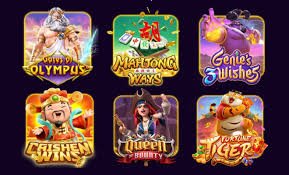
Slot fans will find in the ll1998 app ll1998 the same catalog available on desktop — with all slot games from leading providers, filters by theme, volatility, and RTP, and a play button right on screen. Graphics and animations have been optimized to render well on mid-range phones, without requiring a top-of-the-line device.

You can try demo mode on many titles before betting with real money — a great way to learn how a new game works with zero risk. In the app, accessing this mode is just as easy as on desktop.

Payments and withdrawals: integrated Pix with no hassle

Inside the ll1998, you can make deposits and request withdrawals without leaving the app. Pix is the primary payment method for Brazilian users — no fees, available at any time, including late nights and holidays. The process is straightforward: enter the amount, copy the Pix key or scan the QR Code, and the balance hits your account instantly.

For withdrawals, the process is equally simple. You enter the amount and your destination Pix key (which must be linked to your CPF, as a security measure). Processing generally takes just a few minutes. This integration within the app eliminates the need to switch between your bank and the ll1998 website — everything stays in one place.

Security and privacy in the app

A ll1998 uses SSL/TLS encryption across all app communications — the same security standards used by Brazilian digital banks. Your personal information, payment details, and betting history are protected by robust security protocols.

In addition to biometric login, the app offers two-step authentication for users who prefer an extra layer of protection. We recommend enabling this option especially for accounts with a significant balance — it's quick to set up and adds considerable security.

Bonuses and promotions: direct access through the app

All promotions available on the ll1998 appear in the app with prominent placement on the home screen. Welcome bonuses, free spins on slots, and special offers for live games are accessible with a single tap — no need to search the site. The app also sends notifications when a new promotion or limited-time offer is active, so you never miss an opportunity.

Worth noting: the same terms and conditions for promotions apply whether you play via the app or the website. Always read the wagering requirements before using any bonus.

Play responsibly. The ll1998 app includes responsible gaming tools directly in the account settings. You can set deposit limits, session time limits, and request temporary or permanent self-exclusion without needing to contact support. Learn more at Responsible Gaming.

ll1998

What you'll find in the app

  • Live and pre-match sports betting
  • Live Casino with real dealers
  • Full slot games
  • Deposit and withdrawal via Pix
  • Cash out on live bets
  • Full betting history
  • Results and odds notifications
  • Bingo and special games
  • Live support in English

Frequently Asked Questions about the ll1998 App

Common questions from first-time app downloaders.

Yes, downloading and installing the app from ll1998 are completely free, for both Android and iOS. There are no fees to download or use the app. You only move money when you choose to make a deposit to bet — and the minimum amounts are the same as on the web platform.

The official Google and Apple stores have restrictive policies for real-money betting apps in certain regions. That's why, like most platforms in the industry, the ll1998 makes the app available directly through the website — which is a standard and secure practice in the online betting market. The installation process via APK (Android) and PWA (iOS) is straightforward and takes less than two minutes.

No. If you already have an account at ll1998, just log in to the app with the same email and password. Your entire balance, betting history, and settings are automatically synced between the website and the app. If you don't have an account yet, you can register directly through the app — the process is the same as the web version.

Data usage depends on what you are doing. Sports betting and browsing the lobby use very little — generally less than social media. Live Casino, however, involves video streaming and uses more data and battery, especially during long sessions. For Live Casino, we recommend using Wi-Fi when possible. The app has an option to reduce video quality to save data on mobile connections.

On Android, the app itself automatically checks for updates when you open it. When a new version is available, a prompt appears inside the app with the option to update. On iOS via PWA, updates are applied automatically in the background — you don't need to do anything. In both cases, the process is seamless and does not erase your data or settings.

Yes. The ll1998 app ll1998 works on Android tablets and iPad. The interface adapts to larger screens, making better use of space to display more markets and information simultaneously. For iPad tablets, the installation process is the same as on iPhone — via Safari and "Add to Home Screen".

Ready to bet from anywhere?

Download the ll1998, create your account and get started with the welcome bonus. Android or iPhone — the choice is yours.

+18 · Bet responsibly · Adult content only

Português (Brasil)